
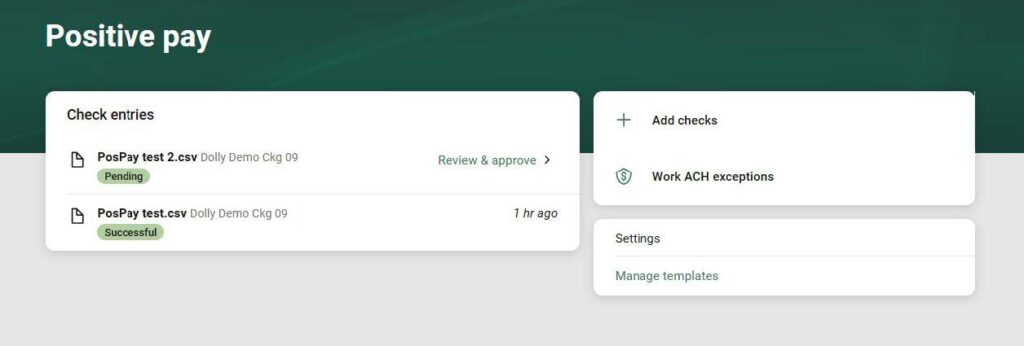






1.) Select “Add checks”.
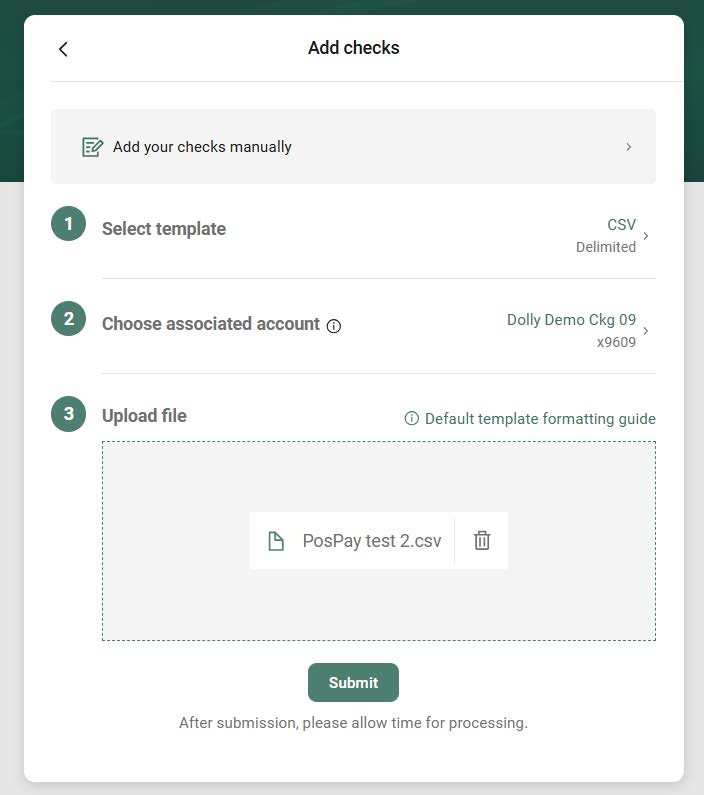
2.) Choose your file template. Select the account your checks are written from. Drag and drop the file into the upload file box. Click submit.
3.) Click on “Review & approve”
Until this step is completed your file will not be uploaded.
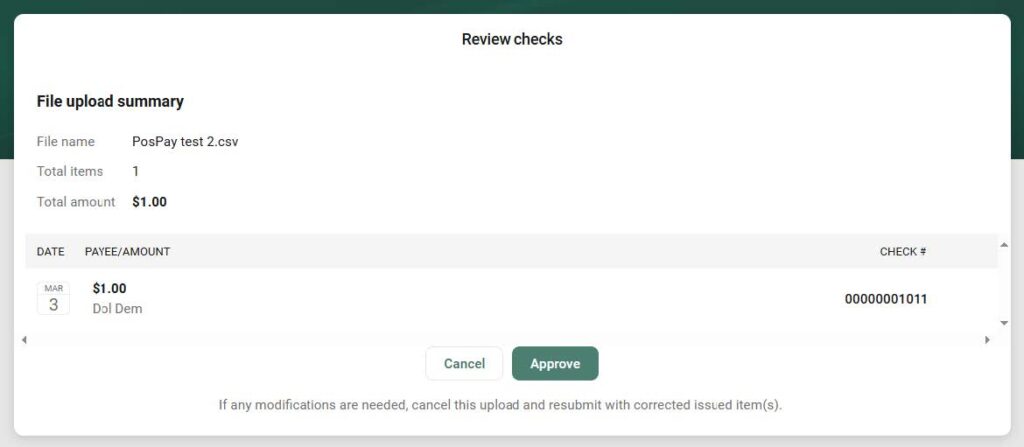
4.) Review formatting to be sure items uploaded with the correct information. Pay close attention to the dollar amounts. Click Approve.
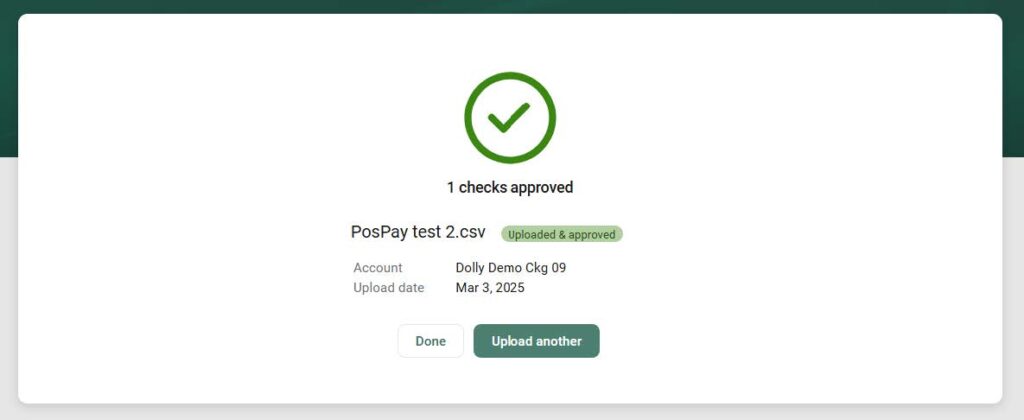
5.) This message will be confirmation that the file has been uploaded.
Beware of Fraudulent Phone Calls and Text Messages Pretending to Be From Sauk Valley Bank.
You are now leaving this web site! Any products and services accessed through this web site are not provided by Sauk Valley Bank. This website may have a privacy policy and security policy that are different than Sauk Valley Bank. Please review this websites privacy and security. Do you want to continue?